A closer look at the deliverable
See what a shortlist
can look like.
A useful shortlist explains why each person is relevant and what your team still needs to check. Explore this example, then open the presentation or report.
Based on a real research project. Names and portraits are fictionalized; roles, affiliations, source links and Project Fit scores reflect the research findings.
No sign-up required. Preview the reports and editable slides you can create in Luminary.
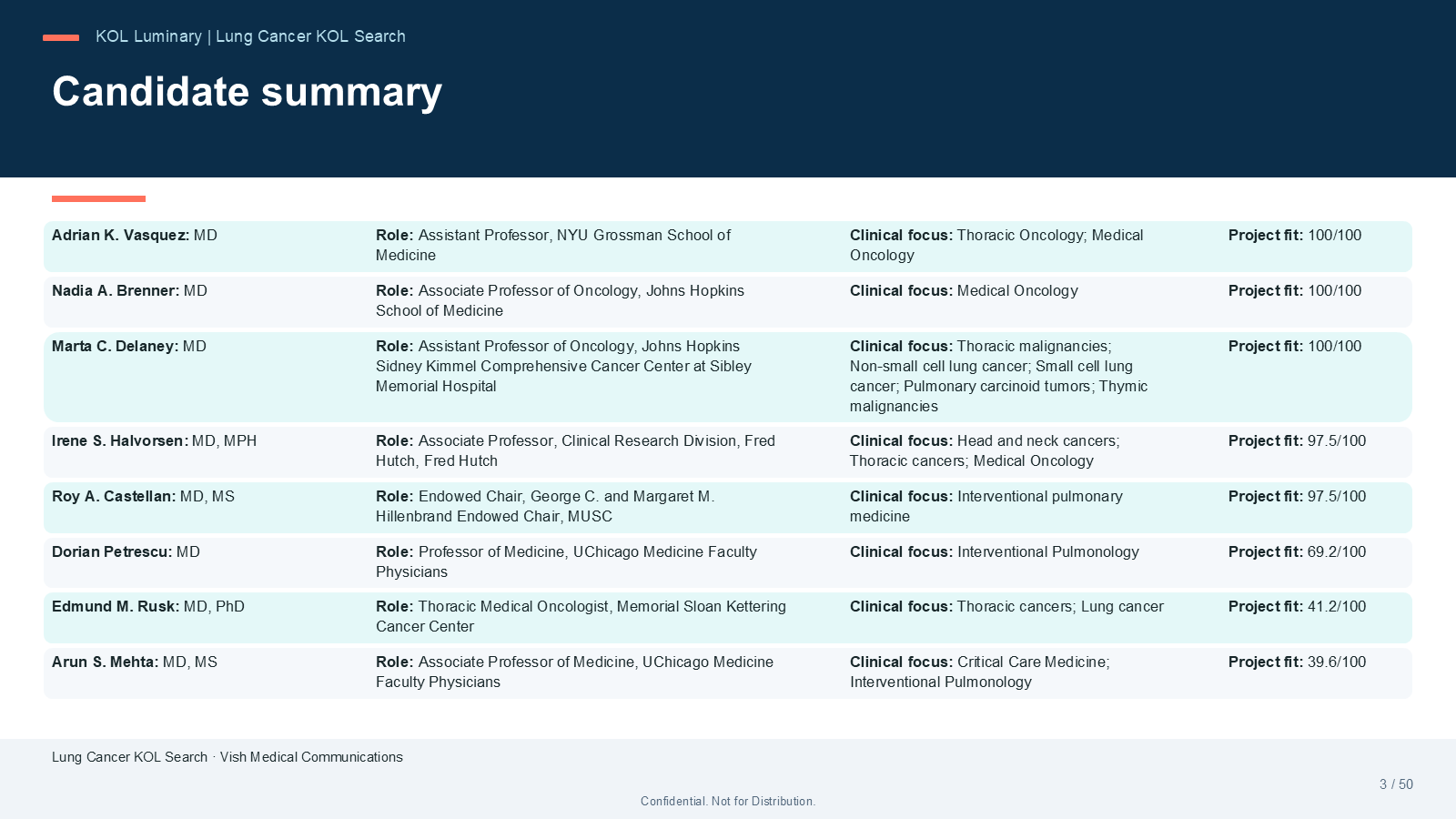
The candidate summary lists every shortlisted expert against one brief, ordered by documented Project Fit.
Names and portraits are fictionalized; roles, affiliations, sources and scores come from a real research project. Select the image to view full size.
What’s inside
From the shortlist page to the supporting sources.
The shortlist
Every candidate on one page: current role, institution, clinical focus and Project Fit score, with the strongest matches first.
Candidate profiles
A dedicated profile for each person, with their experience, societies and congress activity, and a short note on why the project fit is what it is.
Fit, evidence and sources
Scoring evidence and the checks your team should still make, each linked to the source record behind it.
These samples come from a real research project. Names, initials and portraits are fictionalized to protect the professionals involved; their roles, affiliations, activity and source records are the ones the research found, with URLs rewritten to matching fictional profile pages. Your workspace exports keep the original source links for review.
Bring your next KOL brief.
Give your team one place to research candidates, review their fit and prepare the presentation.